AI product photography can help handmade brands, knitwear sellers, crafters, and small boutiques turn one simple product photo into a full set of polished fashion visuals.

For many small creative businesses, product photography is one of the hardest parts of selling online. The item may be beautiful in real life, but a simple photo on a sofa, table, hanger, or mannequin does not always show the atmosphere of the piece.
This is especially true for handmade knitwear. Texture, softness, volume, and mood matter. A knitted cardigan is not just a product — it has a feeling. It can look cosy, rustic, romantic, editorial, minimal, or slow-fashion inspired depending on how it is styled.
That is exactly what we are testing with Fabulous Otter AI Photo Enhancer.
From one knit photo to five storytelling scenes
For this example, we started with one simple photo of a white knitted cardigan. The original image showed the product clearly, but it did not yet look like a full campaign or shop-ready photoshoot.

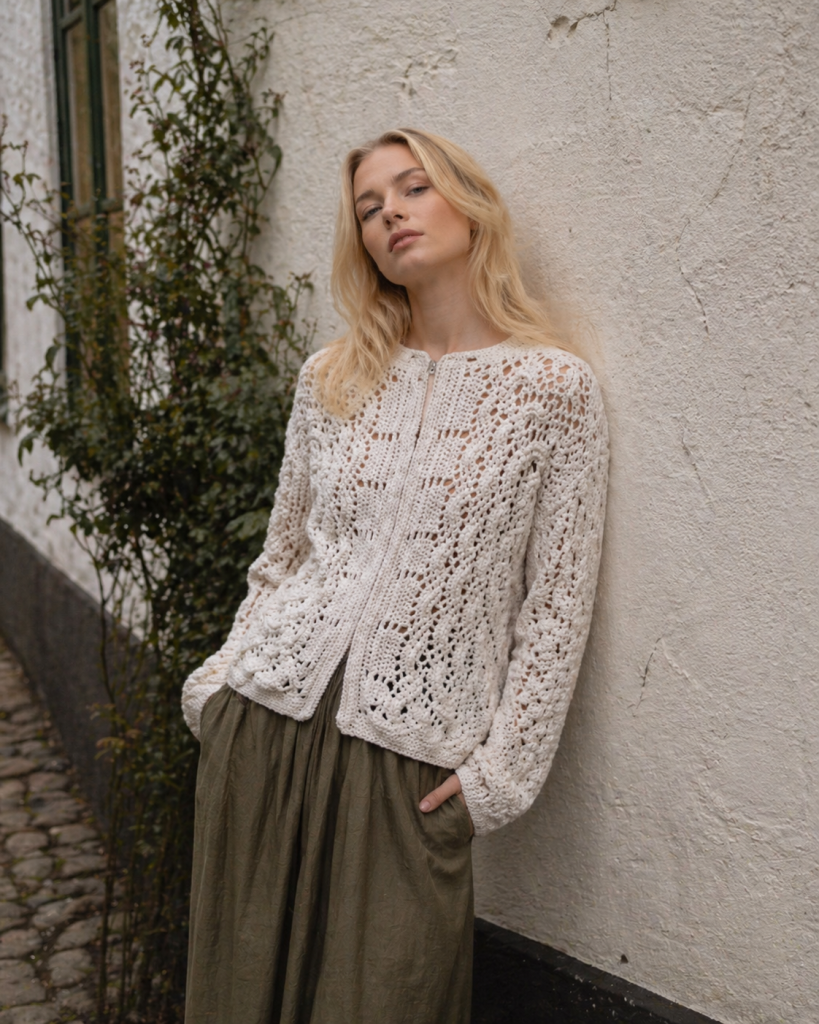
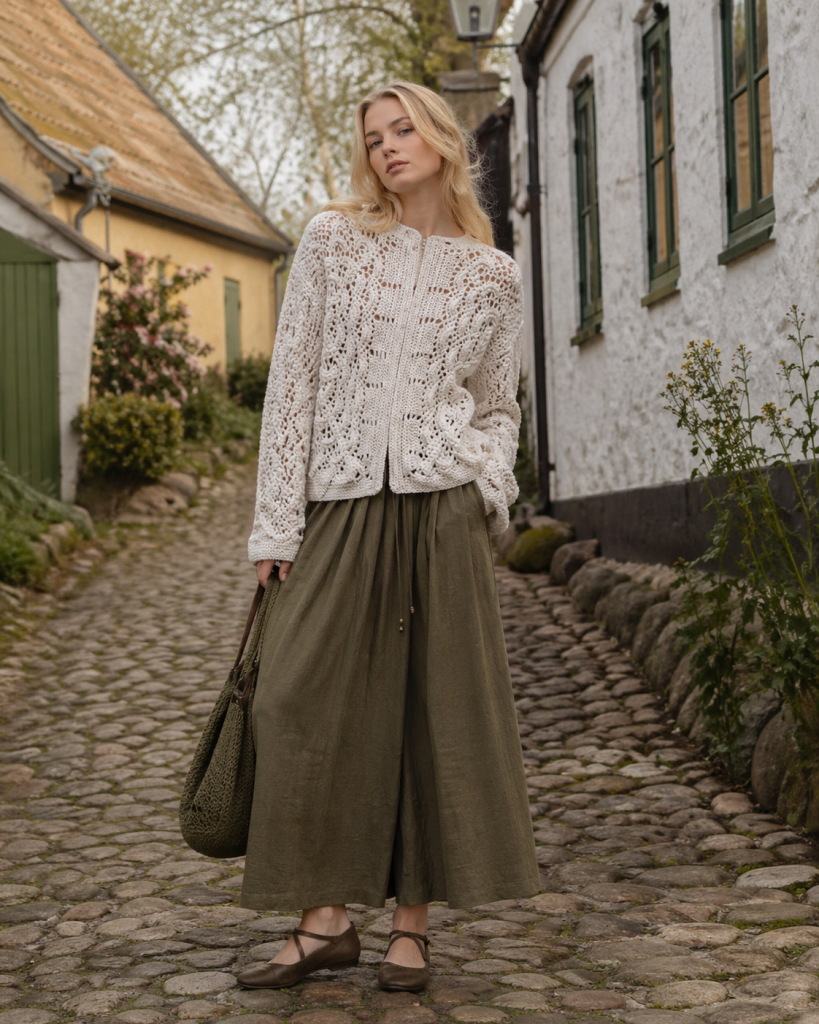
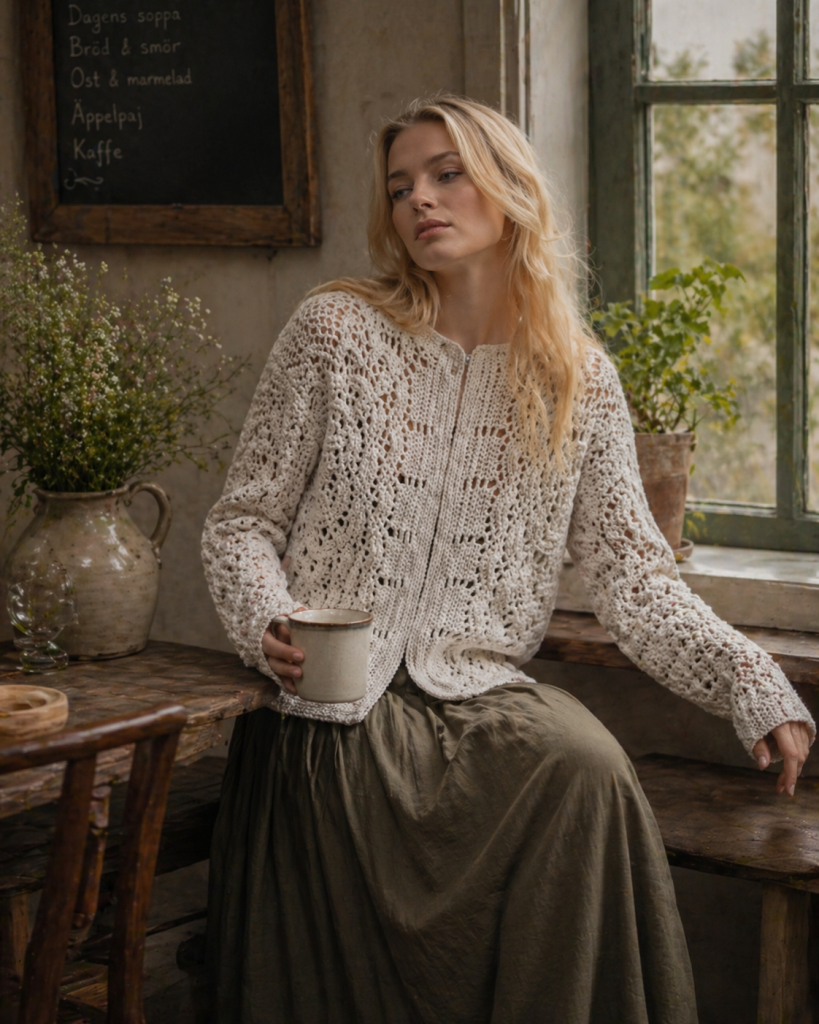
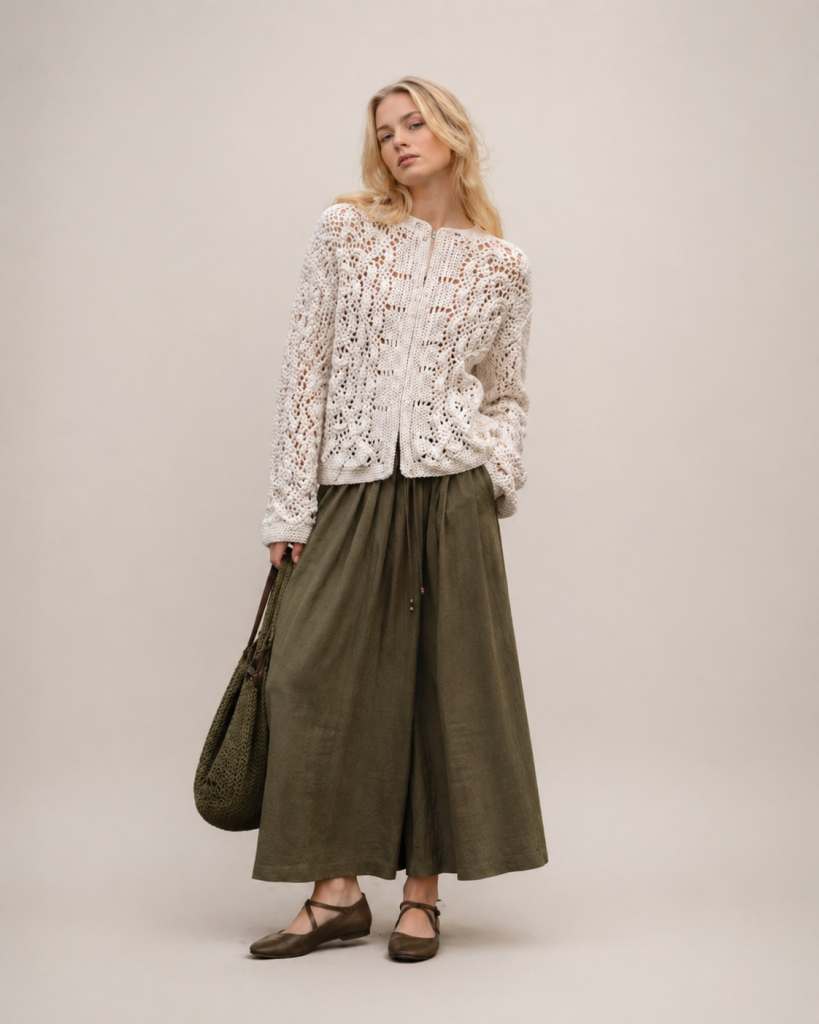
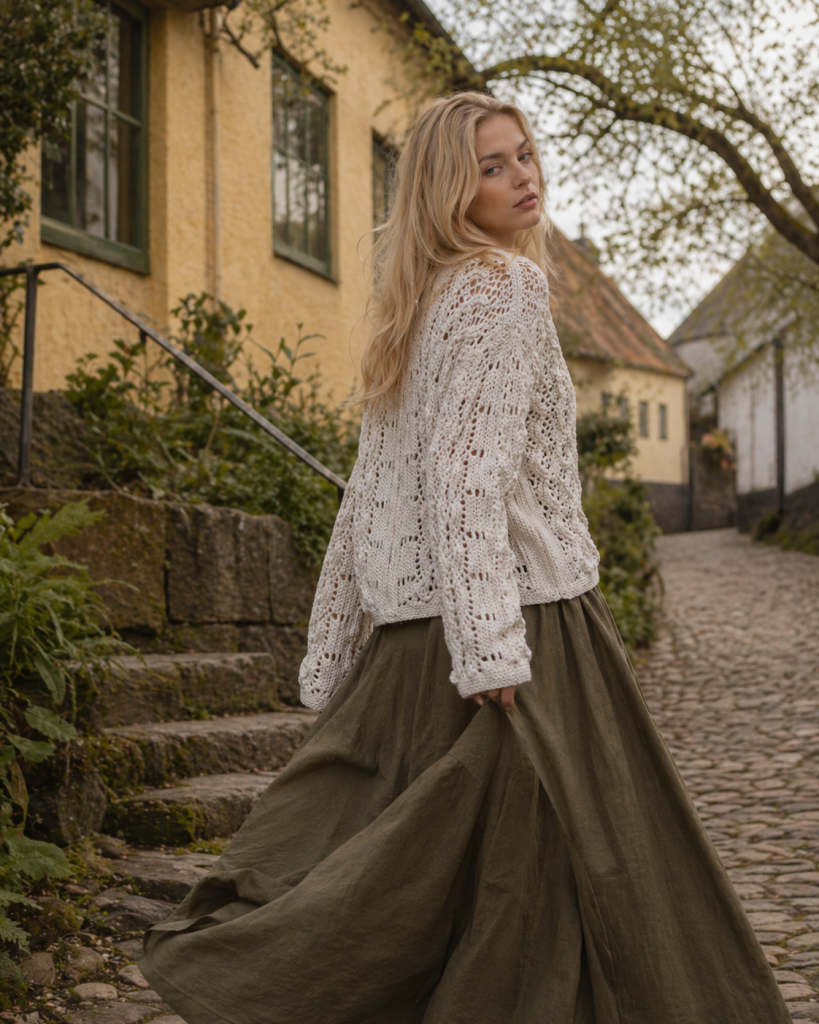
Using AI product photography, we turned the same knitwear piece into five different visual directions:
- village stroll
- wall portrait
- clean studio
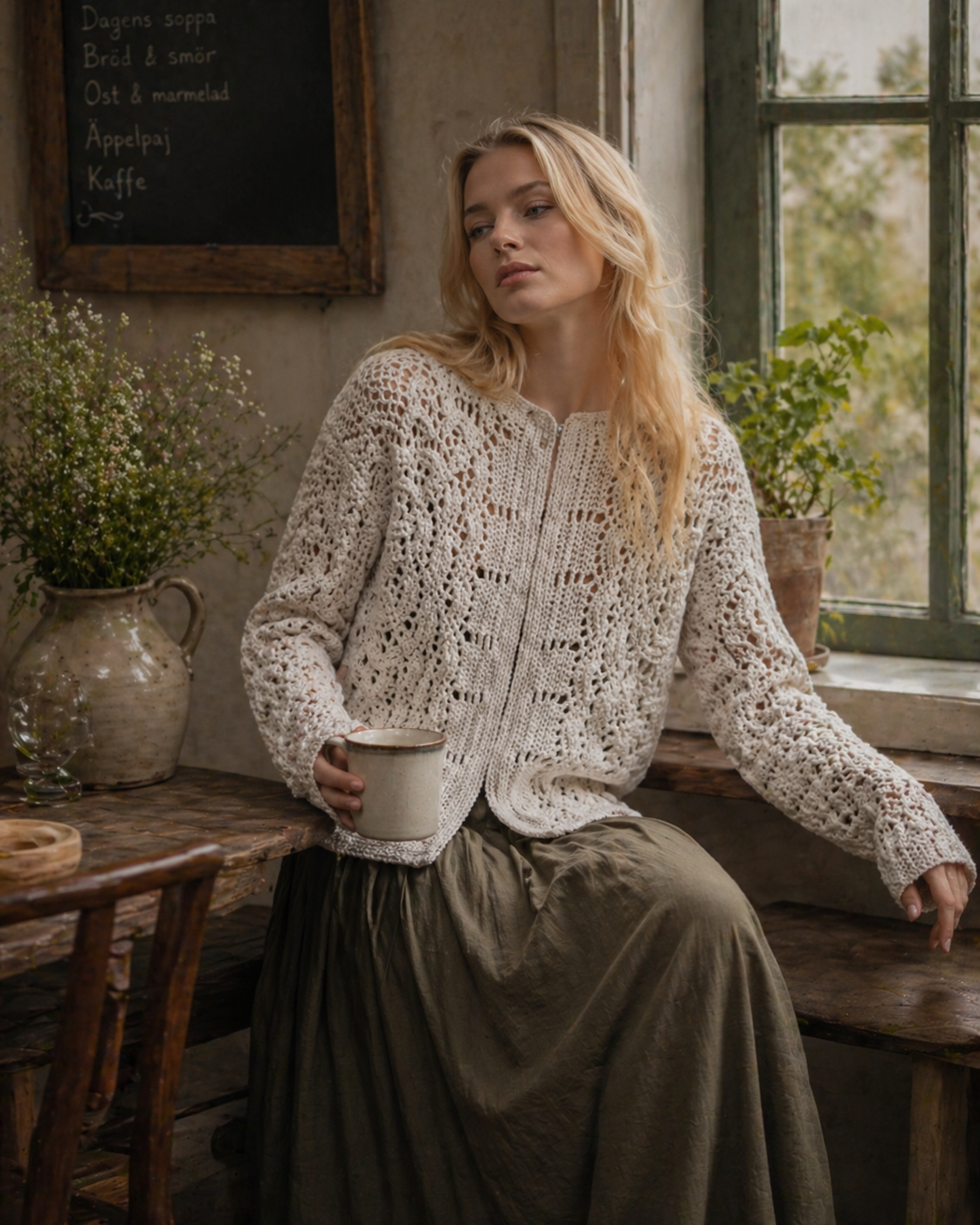
- rustic interior
- movement shot
Each version gives the cardigan a different mood while keeping the main idea of the product: a soft white open-knit texture, relaxed shape, long sleeves, handmade feel, and natural styling.
Why handmade products need more than one product photo
A single product image can show what the item looks like. But several styled images can show how it feels.
For handmade sellers, this matters a lot. Customers often want to understand not only the shape and colour, but also the atmosphere of the product. Is it cosy? Romantic? Minimal? Rustic? Elegant? Suitable for everyday wear or more editorial styling?
AI product photography can help create this visual story faster. Instead of arranging a full photoshoot for every handmade item, a small brand can start with one basic photo and create several polished images for different uses.
A useful tool for crafters and small brands
Fabulous Otter AI Photo Enhancer is being developed for small brands, handmade creators, Etsy sellers, stylists, boutiques, vintage shops, and independent designers.
The idea is simple: upload a basic product photo and generate polished product visuals in different styles, with quality up to 4K.
- No Photoshop skills.
- No complicated editing.
- No expensive photoshoot every time.
For a handmade brand, this can be useful for:
- Etsy product listings
- Instagram posts
- Pinterest pins
- website banners
- lookbooks
- launch announcements
- seasonal collections
- email newsletters
- campaign previews
Creating a mood around the product
In this knitwear example, we wanted a rustic, soft, village-inspired mood. The generated images use natural textures, muted olive tones, soft light, stone paths, old walls, and cosy interiors.
This kind of visual direction works especially well for handmade knitwear because it supports the feeling of the product. The cardigan looks slow-fashion, tactile, natural, and personal.
[Put the rustic interior image here]
This is where AI product photography can be especially useful: it helps small sellers test different moods before investing in a full campaign. A product can be shown in a clean studio style, a lifestyle setting, or a more editorial story — depending on what fits the brand.
We are still developing the app
Fabulous Otter AI Photo Enhancer is still in development, and we are testing different product types, image styles, and workflows.
Our goal is to make AI product photography simple and practical for small creative businesses. One product photo should be enough to start creating beautiful visuals for your shop, website, and social media.
If you are a crafter, handmade seller, stylist, Etsy shop owner, boutique owner, or small fashion brand, we would love to hear from you.
Interested in testing the app or learning more? Or just don’t wamt ot wait? Send us a message or leave a comment.

